
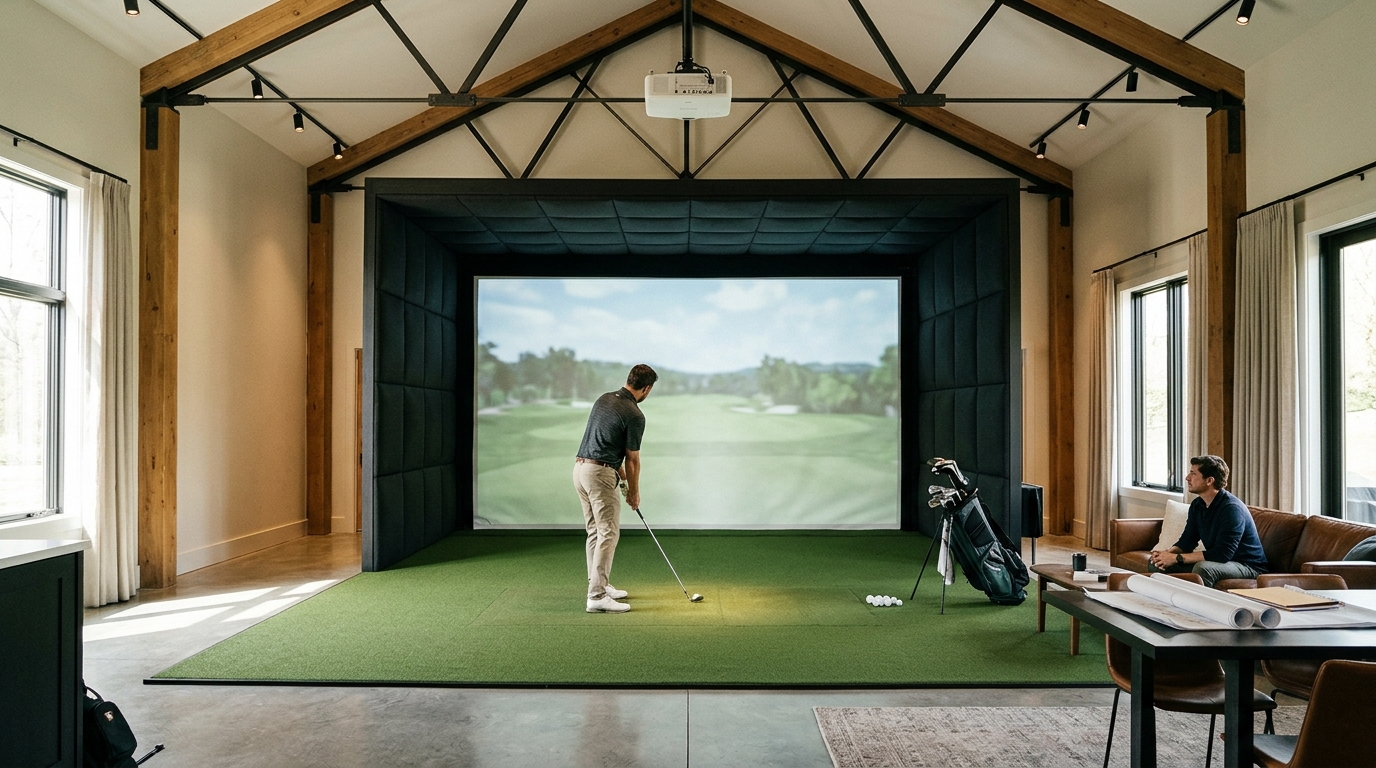
When evaluating the best use of space for a home golf simulator, you must prioritize ceiling height, swing clearance, and launch monitor placement to ensure safety and data accuracy. This guide details the critical spatial factors that determine whether your setup will function as a reliable training tool or a hazardous obstacle. We cover room dimensions, clearance requirements, monitor positioning, screen enclosures, and lighting control to help you build a safe, high-performance studio.
Room Dimensions and Ceiling Height
Room dimensions are the foundational constraint for any indoor golf setup. A standard full-swing simulator requires a minimum ceiling height of 9 feet to accommodate the ball flight trajectory and the overhead launch monitor. If your ceiling is lower, you may need to restrict your club selection to irons and wedges, which limits the utility of the simulator for full-game practice. The width of the room also matters, as it determines the size of the impact screen and the available space for the turf area.
Minimum Space Requirements
For a full-swing setup using a driver, you generally need a room that is at least 10 feet wide and 12 feet deep. This footprint allows for the necessary ball flight distance before the ball hits the screen. If you are working with a smaller space, such as a garage or basement, you might consider a retractable system or a compact enclosure that optimizes the available square footage. Turnkey Pro Studios offers various enclosure options, including compact bays, that are designed to fit into tighter spaces without sacrificing safety or performance.
Measuring Your Space
Before purchasing any equipment, measure your room from wall to wall and floor to ceiling. Note any obstructions such as beams, pipes, or electrical panels. These obstructions can interfere with the launch monitor's field of view or the ball's trajectory. Accurate measurements ensure that the equipment you choose will fit properly and function as intended.
Swing Clearance and Safety Zones
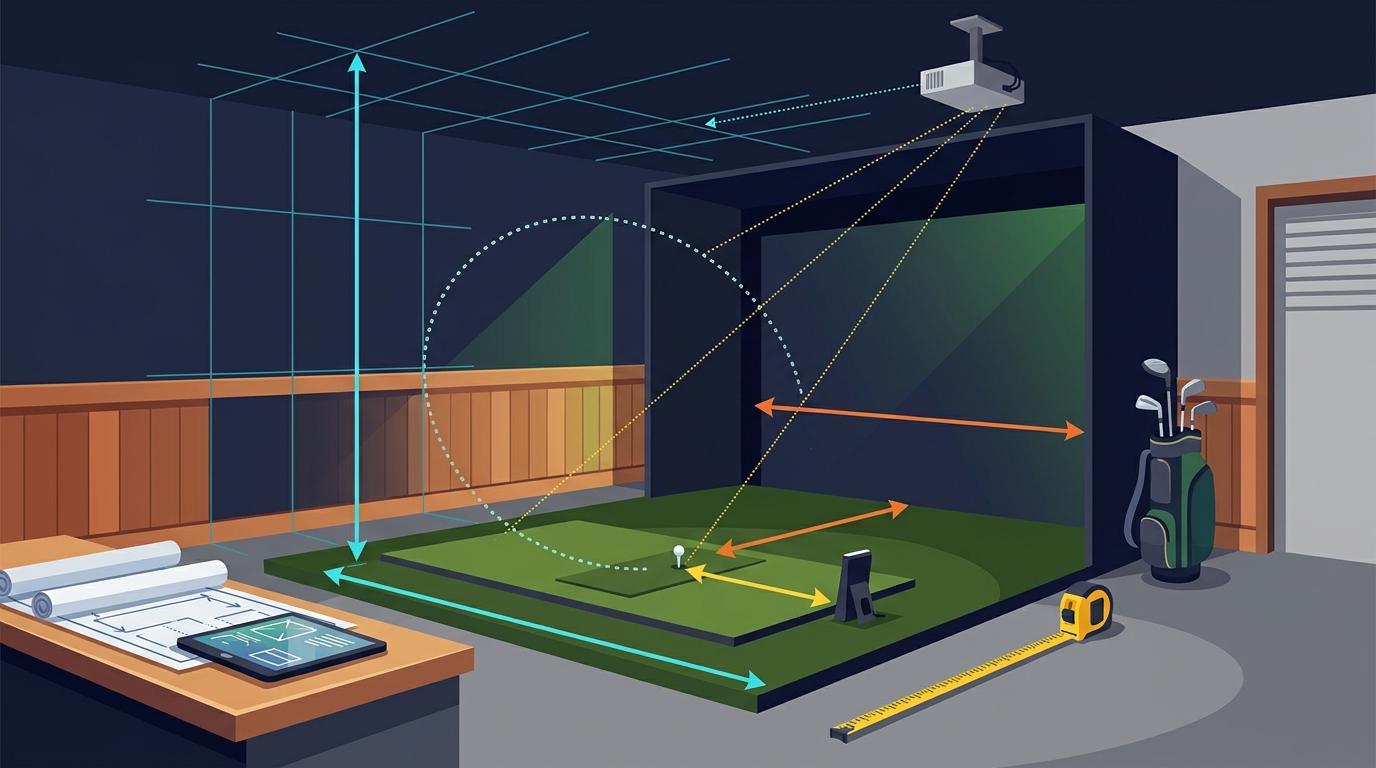
Swing clearance is the space required for a golfer to execute a full swing without hitting walls, furniture, or other obstacles. This is a critical safety factor that is often overlooked in initial planning. A standard full swing requires a clearance of at least 10 feet from the hitting position to the nearest wall or obstacle. If your room is smaller, you must ensure that the golfer has enough room to swing freely without risk of injury or equipment damage.
Defining the Safety Zone
Swing clearance is the unobstructed area surrounding the hitting position that allows for a full, unrestricted swing. This zone must be free of any objects that could be struck by the club or the ball. In a home setting, this means removing or securing any furniture, decorations, or structural elements that fall within this zone. A dedicated safety envelope, such as the Guardian Bay system, can help define and protect this area.
Adjusting for Club Length
The required clearance varies depending on the club being used. Drivers and fairway woods require the most clearance due to their longer shafts and higher swing arcs. Irons and wedges require less clearance, making them suitable for smaller rooms. If you plan to use a full set of clubs, design your space to accommodate the longest club in your bag. This ensures that you can practice all aspects of your game safely and effectively.
Launch Monitor Placement and Calibration
Launch monitor placement is crucial for data accuracy. The monitor must be positioned to have a clear, unobstructed view of the ball at impact. Most overhead launch monitors are mounted on the ceiling directly behind the hitting position. This placement allows the monitor to track the ball's initial velocity, spin, and launch angle with high precision. Incorrect placement can lead to data errors, which undermines the value of the simulator as a training tool.
Overhead vs. Floor-Mounted Monitors
Overhead launch monitors are the gold standard for accuracy and are preferred by most serious golfers. They are mounted on the ceiling and provide a direct line of sight to the ball. Floor-mounted monitors are less common and may require more space to position correctly. When choosing a monitor, consider the ceiling height and the available mounting options. Turnkey Pro Studios carries a range of launch monitors, including overhead models, that are designed for easy installation and reliable performance.
Calibration and Field of View
Each launch monitor has a specific field of view that must be aligned with the hitting position. This alignment ensures that the monitor can track the ball accurately across the entire screen. Misalignment can result in missed shots or inaccurate data. Follow the manufacturer's instructions for calibration and ensure that the monitor is securely mounted to prevent movement during use. Regular checks of the monitor's alignment can help maintain data accuracy over time.
Impact Screen Enclosure and Turf Integration
The impact screen enclosure is the structure that holds the screen and defines the playing area. It must be sturdy enough to withstand the impact of golf balls and provide a safe environment for the golfer. The enclosure also integrates with the turf system, which simulates the feel of a real golf course. A well-designed enclosure enhances the visual experience and protects the surrounding room from stray balls.
Choosing the Right Enclosure
There are several types of enclosures available, each with its own advantages. Built-in enclosures are permanent structures that are integrated into the room. They offer the most stability and a seamless look but require more installation effort. Retractable enclosures are portable and can be folded away when not in use. They are ideal for smaller spaces or for those who want to use the room for other purposes. MegaStudio Bay is an example of a luxury wall-to-wall bay that provides a premium, immersive experience.
Turf and Screen Compatibility
The turf system must be compatible with the impact screen to ensure a realistic feel and accurate data. The turf should be thick enough to provide a good feel but thin enough to allow the ball to pass through to the screen. The screen must be durable enough to withstand repeated impacts without tearing. Choose a screen that is designed for golf simulators and has a high impact resistance rating. This ensures that your investment is protected and that your simulator remains functional for years to come.
Lighting Control and Visual Clarity
Lighting control is essential for visual clarity and projector performance. Ambient light can wash out the projected image, making it difficult to see the virtual course and ball flight. To achieve the best visual experience, you need to control the lighting in the room. This can be done by using blackout curtains, dimmable lights, or a dedicated lighting system that is integrated with the simulator.
Managing Ambient Light
Ambient light is the primary enemy of projector-based simulators. Even a small amount of light can significantly reduce the contrast and brightness of the projected image. To manage ambient light, seal any gaps around windows and doors with blackout curtains or blinds. Use dimmable lights that can be adjusted to match the brightness of the projected image. Avoid using bright, white lights that can cause glare and reflections on the screen.
Integrated Lighting Systems
Some simulators come with integrated lighting systems that automatically adjust the room lighting based on the projected image. These systems can enhance the visual experience by creating a more immersive environment. They can also help to reduce eye strain by maintaining a consistent level of brightness. When planning your space, consider the placement of lighting fixtures and the type of bulbs to use. LED lights are a good choice because they are energy-efficient and produce less heat than traditional bulbs.
Key Takeaways
- Ceiling height of at least 9 feet is required for a full-swing simulator with an overhead launch monitor.
- Swing clearance of 10 feet is necessary to ensure safety and allow for unrestricted swings.
- Launch monitor placement must be precise to ensure data accuracy and reliable tracking.
- Impact screen enclosures should be sturdy and compatible with the turf system to protect the room and enhance the experience.
- Lighting control is critical for visual clarity and projector performance in a home simulator.
- Measure your room accurately and account for any obstructions before purchasing equipment.
- Consider the type of enclosure that best fits your space and usage needs, whether built-in or retractable.
- Regular maintenance and calibration of the launch monitor and screen will ensure long-term performance and accuracy.
Frequently Asked Questions
What is the minimum ceiling height for a home golf simulator?
The minimum ceiling height for a full-swing home golf simulator is typically 9 feet. This height allows for the ball flight trajectory and the installation of an overhead launch monitor. If your ceiling is lower, you may need to limit your club selection to irons and wedges.
How much swing clearance do I need for a driver?
You need at least 10 feet of swing clearance for a driver. This ensures that you can execute a full swing without hitting walls or other obstacles. If your room is smaller, you may need to consider a compact setup or limit your practice to shorter clubs.
Where should I place the launch monitor?
The launch monitor should be placed on the ceiling directly behind the hitting position. This placement provides a clear line of sight to the ball at impact, which is essential for accurate data tracking. Ensure that the monitor is securely mounted and aligned with the hitting position.
What type of enclosure is best for a small room?
A retractable enclosure is often the best choice for a small room. These enclosures can be folded away when not in use, saving space and allowing the room to be used for other purposes. They are also easier to install and remove than built-in enclosures.
How does lighting affect a golf simulator?
Lighting significantly affects the visual clarity of a golf simulator. Ambient light can wash out the projected image, making it difficult to see the course and ball flight. To achieve the best visual experience, control the lighting in the room by using blackout curtains and dimmable lights.
Can I use a golf simulator in a garage?
Yes, you can use a golf simulator in a garage, provided that the space meets the minimum requirements for ceiling height and swing clearance. Garages are a popular location for home simulators because they offer a dedicated space that is separate from the main living areas. Ensure that the garage is properly insulated and that the lighting is controlled to optimize the visual experience.
Conclusion
Planning the space for a home golf simulator requires careful consideration of room dimensions, swing clearance, launch monitor placement, screen enclosures, and lighting control. By addressing these factors, you can create a safe, high-performance environment that enhances your golf game. Turnkey Pro Studios provides expert guidance and tailored solutions to help you build the perfect simulator setup for your space and budget. Whether you are a casual golfer or a serious enthusiast, investing in a well-planned simulator will pay off in improved performance and enjoyment.