Launch Monitor Kits for Garage Golf Simulators: 2026 Buyer's Guide
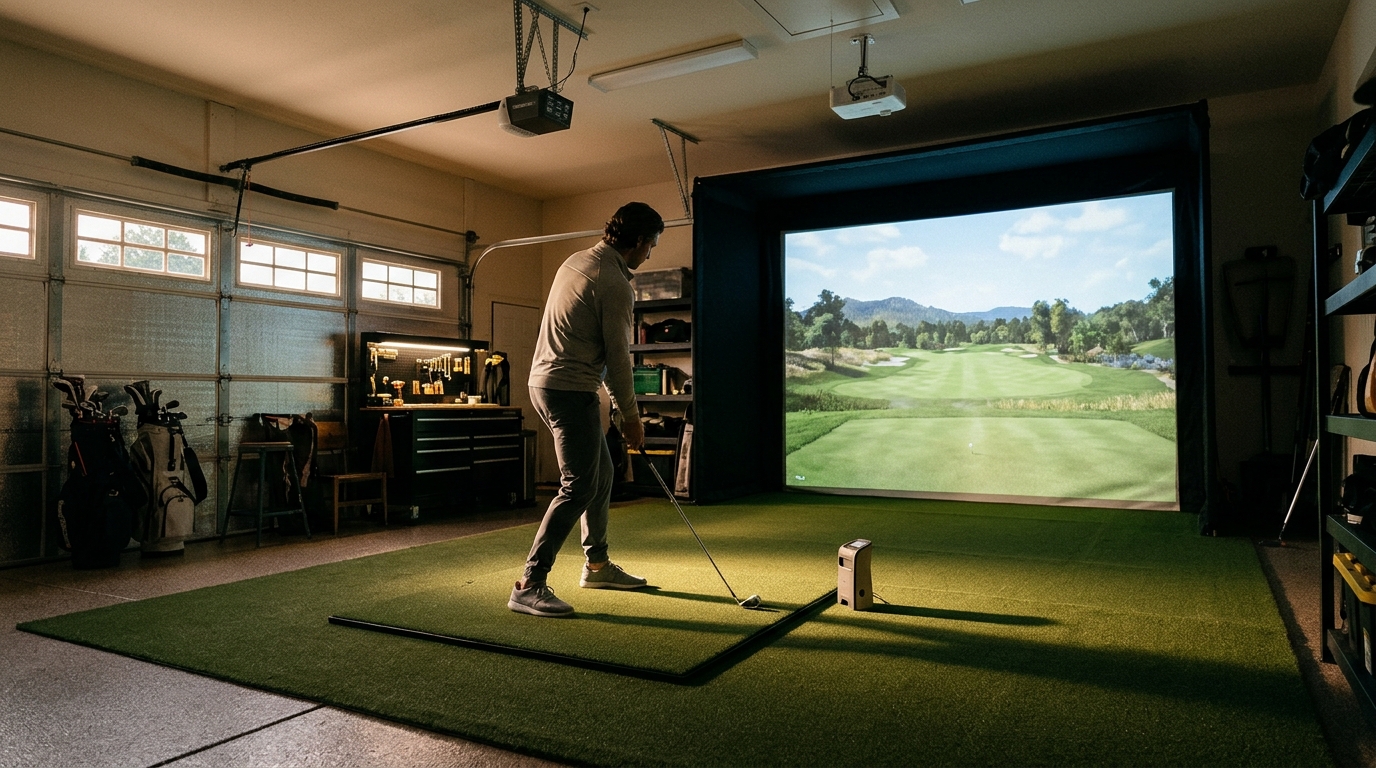
Before building a garage golf simulator, you must understand that a launch monitor kit is the data engine of your setup. It captures ball and club metrics to drive the simulation software. Choosing the right kit depends on your ceiling height, lighting conditions, and whether you prioritize accuracy or budget. Turnkey Pro Studios helps you navigate these technical requirements to ensure your garage build performs reliably year-round.
Ceiling Height and Monitor Placement
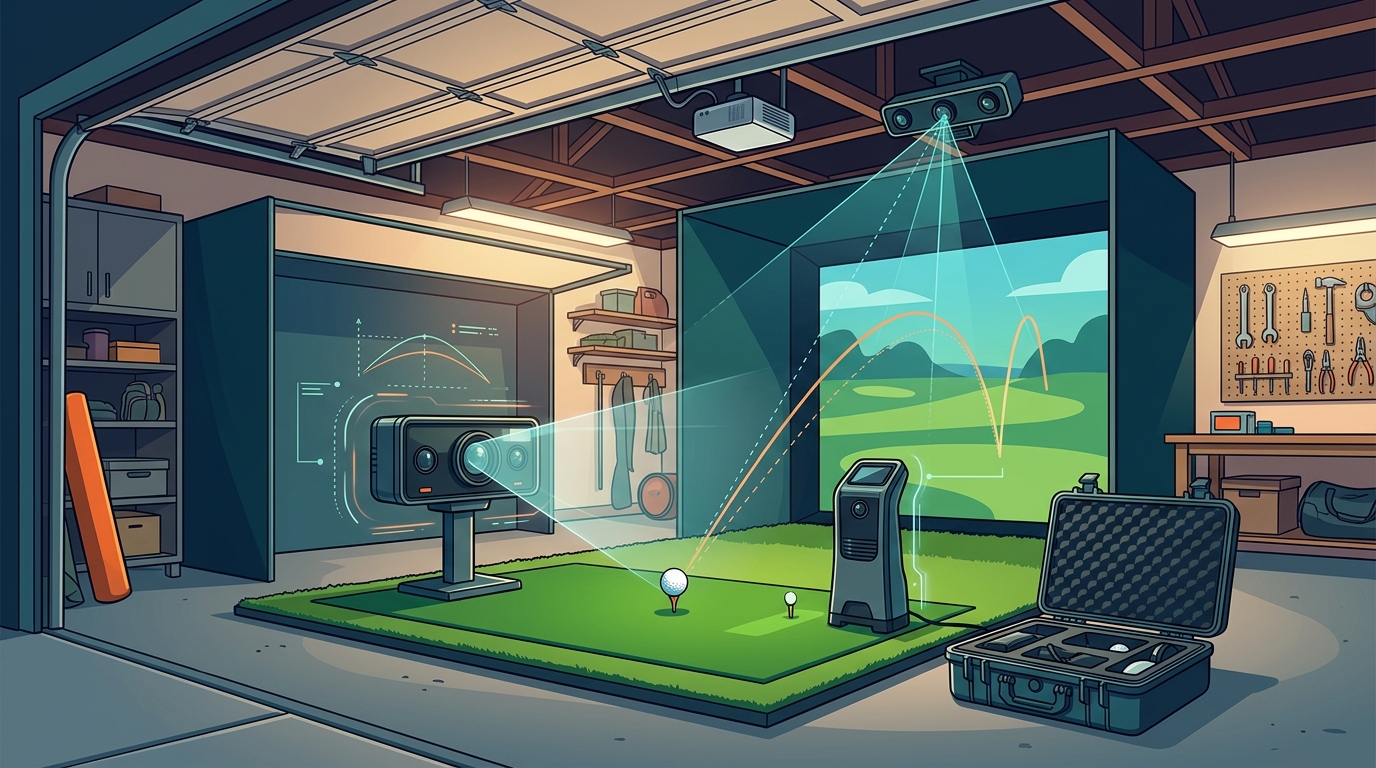
The most critical physical constraint for a garage simulator is ceiling height. A launch monitor is a device that uses optical or radar technology to track the ball's flight path. Most optical launch monitors require a minimum ceiling height of 8.5 to 9 feet to capture the full trajectory of a drive. If your garage has a standard 8-foot ceiling, you may need to look at radar-based monitors or specific low-ceiling optical models. Turnkey Pro Studios offers enclosures designed for various space constraints, but the monitor itself must still fit the space. Verify your exact ceiling height before selecting a monitor to avoid compatibility issues.
Managing Lighting Conditions in Garages
Garages often have inconsistent lighting, which can interfere with optical tracking. A launch monitor kit is a system that relies on clear line-of-sight to the ball, meaning ambient light can cause tracking errors. Direct sunlight through windows or bright overhead LED lights can wash out the camera sensors. To mitigate this, many builders use blackout curtains or dimmable lighting. It is recommended to test your garage lighting at different times of day before finalizing your monitor choice. Some monitors are more tolerant of variable light than others, so this environmental check is a vital part of the planning phase.
Understanding Accuracy and Data Metrics
Software and Computer Compatibility
The hardware is only half the equation; the software and computer must work together seamlessly. A launch monitor kit is a bundle that must be compatible with your chosen simulation software and gaming computer. Some monitors require specific operating systems or high-performance GPUs to render realistic course graphics. Turnkey Pro Studios provides pre-configured gaming computers that are tested for compatibility with major simulation platforms. This eliminates the guesswork of building a PC from scratch. Ensure that the monitor's software license is included in your kit, as some brands sell hardware and software separately.
Installation and Support Considerations
Installing a launch monitor in a garage requires precise alignment. A launch monitor kit is a turnkey solution that should include clear installation guides and support. Misalignment can lead to inaccurate data, frustrating the user. Turnkey Pro Studios provides full-cycle support, from pre-purchase layout checks to post-delivery install support. Our team can guide you through the mounting process, ensuring the monitor is positioned correctly relative to the hitting mat and screen. This level of support is crucial for first-time builders who may not have experience with technical installations.
Key Takeaways
- Ceiling height is the primary constraint; most optical monitors need at least 8.5 feet of clearance.
- Garage lighting must be controlled to prevent optical tracking errors.
- Determine your data needs; casual players may not need advanced club metrics.
- Ensure software and computer compatibility before purchasing hardware.
- Professional installation support can save time and ensure accuracy.
- Turnkey Pro Studios offers tailored recommendations for garage builds.
Frequently Asked Questions
What is the minimum ceiling height for a launch monitor?
Most optical launch monitors require a minimum ceiling height of 8.5 to 9 feet. Radar-based monitors may have different requirements, but optical systems need this clearance to track the ball's full flight path accurately.
Can I use a launch monitor in a garage with standard lighting?
It is possible, but inconsistent lighting can cause tracking errors. It is best to use dimmable lights or blackout curtains to create a controlled environment for the optical sensors.
Do I need a powerful computer for a launch monitor kit?
Yes, the computer must be able to run the simulation software and process the data from the monitor. Turnkey Pro Studios offers pre-configured computers that are tested for compatibility with major simulation platforms.
What is the difference between optical and radar launch monitors?
Optical monitors use cameras to track the ball, while radar monitors use radio waves. Optical monitors generally provide more detailed club data, while radar monitors can be more tolerant of variable lighting conditions.
How does Turnkey Pro Studios help with garage simulator builds?
Turnkey Pro Studios provides tailored recommendations and full-cycle support, including pre-purchase layout checks and post-delivery install support, to ensure your garage simulator is built correctly.
Conclusion
Building a garage golf simulator requires careful planning, especially when selecting a launch monitor kit. By understanding ceiling height, lighting, and software compatibility, you can avoid common pitfalls. Turnkey Pro Studios simplifies this process by offering expert guidance and pre-configured bundles. To plan your visit, contact our team for a tailored recommendation. Learn more: Contact Us.