Room Dimensions and Ceiling Height
Measuring Your Space
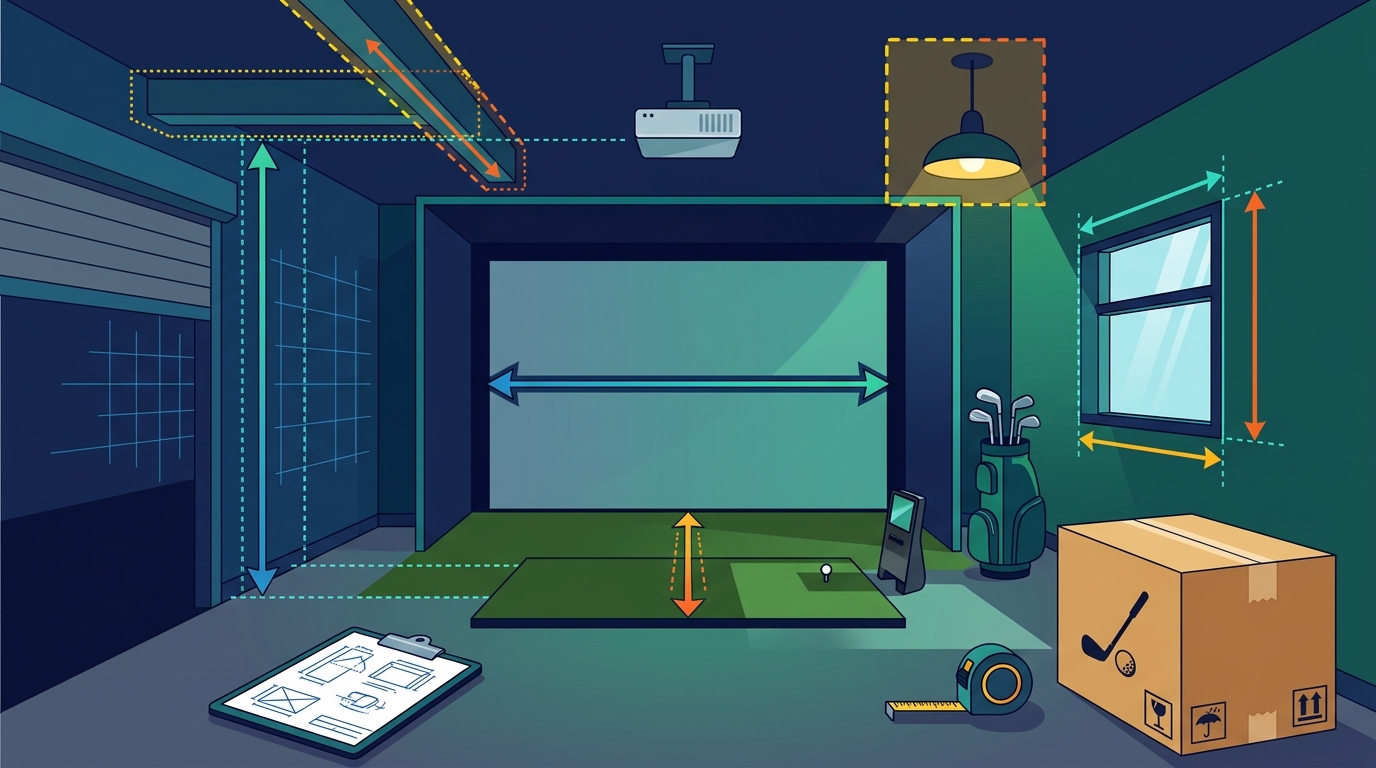
Accurate measurement is non-negotiable. You must measure the distance from the hitting mat to the back wall, the width of the wall, and the height from the floor to the ceiling. Obstacles such as light fixtures, beams, or windows must be accounted for. A complete golf simulator package is a system where every component must fit within these boundaries. If your space is irregular, professional guidance is essential to avoid purchasing incompatible parts.
Launch Monitor Technology and Accuracy
Choosing the Right Monitor
For casual players, a basic radar monitor may suffice. For serious golfers, an optical system with high frame rates is preferable. The monitor must be compatible with the screen and netting in your package. At Turnkey Pro Studios, we pair top-tier launch monitors with compatible hardware to ensure that the data you receive is reliable. This integration removes the guesswork from building your bay and ensures that the software you use works seamlessly with the hardware you buy.
Screen, Netting, and Turf Systems
Impact Protection
Software and Connectivity
Compatibility and Updates
Ensure that the software is compatible with your operating system and hardware. Some software requires a high-performance computer, while others run on standard devices. Regular updates are important to keep the software current and to add new features. The software should be easy to install and configure. At Turnkey Pro Studios, we provide tailored room recommendations and configure your custom, ready-to-play bundle in clicks. This ensures that the software, hardware, and room dimensions are all aligned for a seamless experience.
Power and Installation Requirements
Power requirements are often overlooked but are essential for a successful installation. The launch monitor, screen, and computer all require power. You need to ensure that you have enough outlets in the room and that they are positioned conveniently. Some monitors require a direct power connection, while others use batteries. The installation process involves mounting the screen, netting, and monitor. This can be a complex task that requires precision and care. Professional installation is recommended to ensure that the components are aligned correctly and that the system is safe to use.
Professional Installation
Professional installation ensures that the simulator is set up correctly and that the data is accurate. It also ensures that the components are installed safely and that your home is protected. At Turnkey Pro Studios, we take the compatibility guesswork out of building your bay. Our expert guidance ensures that your simulator is installed correctly and that you are ready to play. This hands-on approach saves you time and frustration and ensures that you get the most out of your investment.
Key Takeaways
- Verify room dimensions, ceiling height, and power requirements before purchasing.
- Choose a launch monitor technology that matches your skill level and goals.
- Invest in high-quality impact protection, including screen, netting, and turf.
- Ensure software compatibility with your computer or console.
- Consider professional installation to ensure accuracy and safety.
- Work with a specialist like Turnkey Pro Studios to ensure component compatibility.
Frequently Asked Questions
What is a complete golf simulator package?
How much space do I need for a golf simulator?
You need a minimum ceiling height of 8 feet 6 inches to 9 feet, a width of 10 to 12 feet, and a depth of 12 to 15 feet. These dimensions ensure that the launch monitor can capture full swing data and that the ball can be stopped safely by the screen and netting.
What is the difference between radar and optical launch monitors?
Radar launch monitors use radar technology to track the ball and club. Optical launch monitors use high-speed cameras to track the ball and club. Optical monitors generally provide more detailed data, including club face angle and path, while radar monitors are often more affordable and easier to install.
Do I need a computer for a golf simulator?
Yes, you need a computer or console to run the simulator software. The software displays the data from the launch monitor and allows you to play virtual courses or practice drills. The computer must be compatible with the software and have sufficient processing power to run it smoothly.
Can I install a golf simulator myself?
Yes, you can install a golf simulator yourself, but professional installation is recommended. Professional installation ensures that the components are aligned correctly and that the system is safe to use. It also ensures that the data is accurate and that you are ready to play.
How do I choose the right golf simulator package?
Choose a package that fits your room dimensions, skill level, and budget. Work with a specialist like Turnkey Pro Studios to ensure that all components are compatible and that the package is tailored to your needs. This ensures that you get the most out of your investment and that your simulator is ready to play.
Conclusion
Buying a complete golf simulator package for your home requires careful consideration of room dimensions, hardware compatibility, and software requirements. By verifying your space and choosing the right components, you can create a realistic and enjoyable golfing environment. At Turnkey Pro Studios, we deliver commercial-grade golf simulators from the world’s premier brands straight to your home or business. We take the compatibility guesswork out of building your bay and provide tailored room recommendations. Configure your custom, ready-to-play bundle in clicks and start playing today. Learn more: turnkeyprostudios com.