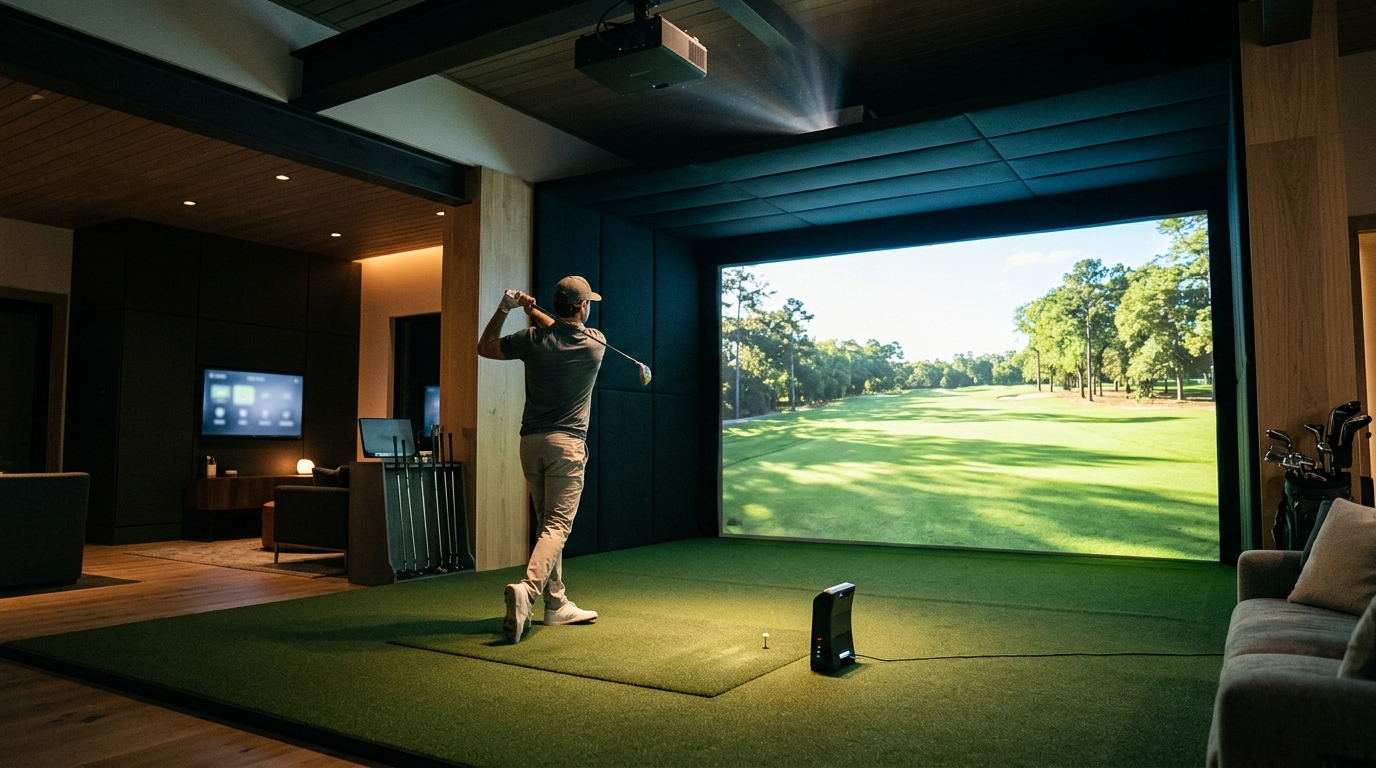
A top-tier golf simulator setup is defined by the precise integration of a high-accuracy launch monitor, a high-lumen short-throw projector, and robust simulation software within a properly dimensioned room. Turnkey Pro Studios provides the framework to eliminate compatibility guesswork, ensuring every component works in harmony. This guide covers the four critical pillars of a professional-grade indoor studio: the data engine, the visual display, the software environment, and the physical space requirements.
The Launch Monitor: The Data Engine
The launch monitor is the heart of any golf simulator. It is the hardware device responsible for capturing the physics of the ball and the club at impact. Without a high-precision monitor, the visual simulation is merely a video game, lacking the actionable data required for genuine improvement. Turnkey Pro Studios curates only tour-validated systems, ensuring that the data points you receive are accurate enough for elite training demands.
Doppler Radar vs. Camera-Based Systems
Key Data Metrics
A top-tier monitor must provide more than just carry distance. Essential metrics include club head speed, ball speed, launch angle, spin rate, and side spin. Advanced systems also track club path, face angle, and attack angle. These data points allow a player to diagnose swing flaws with precision. For commercial spaces, the monitor must also handle high-traffic reliability, ensuring consistent data capture across hundreds of swings per day.
The Short-Throw Projector: Visual Fidelity
The short-throw projector is the visual component that renders the virtual golf course. It is a specialized piece of audio-visual equipment designed to project a large, bright image from a short distance. In a golf simulator, the projector is typically mounted on the ceiling or a high wall, facing the impact screen. The quality of this projection directly impacts the immersion and usability of the system.
Brightness and Lumens
Brightness is measured in lumens. For a golf simulator, a projector must be bright enough to overcome ambient light. A top-tier setup requires a projector with high lumen output, often in the commercial-grade range. This ensures that the image remains crisp and visible even if the room is not completely dark. Turnkey Pro Studios partners with premier brands to provide projectors that offer massive brightness and razor-sharp 4K realism.
Resolution and Aspect Ratio
Resolution determines the clarity of the image. A 4K projector provides four times the detail of a 1080p unit, making the virtual grass, water, and sand traps look lifelike. The aspect ratio must also match the screen and the software. Most golf simulators use a 16:9 or 2.35:1 aspect ratio. A mismatch between the projector's native resolution and the screen size can result in a blurry or distorted image, degrading the user experience.
Simulation Software: The Virtual Course
Simulation software is the application that processes the data from the launch monitor and renders the visual output on the screen. It is the bridge between the physical swing and the digital experience. The software must be capable of running the swing camera, processing the launch monitor data, and displaying the virtual course in real-time. A top-tier setup requires software that is stable, feature-rich, and compatible with the chosen hardware.
Course Libraries and Practice Modes
Performance Tracking and Analytics
Room Dimensions: The Physical Foundation
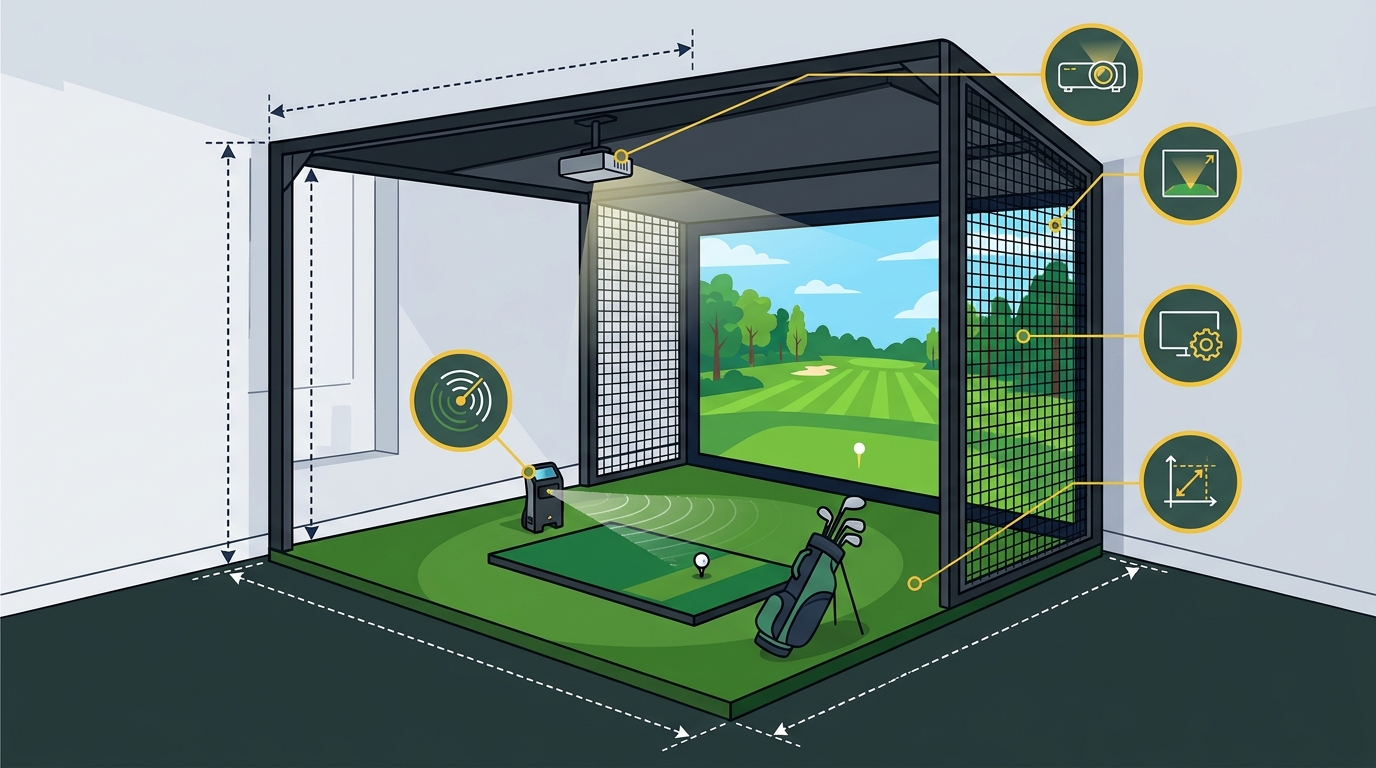
Room dimensions are the physical constraints that dictate the size and type of simulator you can install. A top-tier golf simulator requires a specific amount of space to function safely and effectively. The room must be large enough to accommodate the impact screen, the turf, and the swing space for the player. Turnkey Pro Studios offers a range of enclosures, from compact retractable units to full wall-to-wall bays, to fit various room sizes.
Minimum Height and Width Requirements
The minimum height for a golf simulator is typically 9 to 10 feet. This allows for the projection of a large image and provides enough clearance for the ball's flight. The width of the room should be at least 10 to 12 feet to accommodate the screen and the player's swing. For a full-size bay, a room of 12 by 12 feet or larger is recommended. These dimensions ensure that the player has enough room to swing freely without hitting the walls or ceiling.
Enclosure Types and Safety
The enclosure is the structure that holds the impact screen and provides a safe environment for the player. There are several types of enclosures, including retractable, built-in, and flush-to-wall designs. Each type has its own advantages and space requirements. A top-tier enclosure must be safe, durable, and aesthetically pleasing. It should also be easy to install and maintain. Turnkey Pro Studios provides Smart Frameworks, proprietary systems designed to make professional installation simple and seamless.
Comparison of Essential Components
| Component | Primary Function | Key Specification | Impact on Performance |
|---|---|---|---|
| Launch Monitor | Captures ball and club data | Sub-degree accuracy | Determines data reliability for training |
| Short-Throw Projector | Displays virtual course | High lumens, 4K resolution | Impacts visual immersion and clarity |
| Simulation Software | Processes data and renders visuals | Course library, analytics | Defines the user experience and training tools |
| Room Dimensions | Provides physical space | Min. 9-10 ft height, 10-12 ft width | Determines enclosure type and safety |
Key Takeaways
- The launch monitor is the most critical component, as it determines the accuracy of the data.
- A high-lumen, 4K short-throw projector is essential for a realistic and immersive visual experience.
- Simulation software must offer a robust course library and advanced analytics for effective training.
- Room dimensions must meet minimum height and width requirements to ensure safety and functionality.
- Compatibility between the launch monitor, projector, and software is crucial for a seamless experience.
- Turnkey Pro Studios provides pre-vetted, tour-validated systems to eliminate compatibility guesswork.
- A top-tier setup is an investment in precision, allowing for year-round practice and improvement.
Frequently Asked Questions
What is the most important feature of a golf simulator?
The most important feature is the accuracy of the launch monitor. The monitor is the data engine that captures the physics of the ball and club. Without a high-precision monitor, the simulator cannot provide reliable data for training. Turnkey Pro Studios focuses on tour-validated systems to ensure this core requirement is met.
How much space do I need for a golf simulator?
You need a minimum of 9 to 10 feet of height and 10 to 12 feet of width for a standard golf simulator. For a full-size bay, a room of 12 by 12 feet or larger is recommended. The specific requirements depend on the type of enclosure and the size of the impact screen. Turnkey Pro Studios offers various enclosure options to fit different room sizes.
Do I need a dark room for a golf simulator?
You do not need a completely dark room, but you should minimize ambient light. A high-lumen projector can overcome some ambient light, but a darker room will provide a better image. The goal is to create an environment that is comfortable for the player and allows for clear visibility of the virtual course.
What is the difference between a radar and a camera-based launch monitor?
Radar-based monitors use radio waves to track the ball, while camera-based monitors use high-speed cameras. Both technologies offer high accuracy, but they differ in installation and environmental sensitivity. Radar monitors are often considered the gold standard for professional instruction, while camera-based monitors are popular for their ease of installation.
Can I use any projector for a golf simulator?
How long does it take to install a golf simulator?
Installation time varies depending on the complexity of the setup. A simple retractable unit can be installed in a few hours, while a full wall-to-wall bay may take a day or more. Turnkey Pro Studios provides hands-on expert guidance to ensure a smooth and efficient installation process.
Is a golf simulator worth the investment?
Conclusion
Building a top-tier golf simulator setup requires careful attention to four essential features: the launch monitor, the short-throw projector, the simulation software, and the room dimensions. Each component plays a critical role in the overall performance and user experience. By choosing the right hardware and software, and ensuring your room meets the necessary requirements, you can create a professional-grade indoor studio. Turnkey Pro Studios is committed to making this process straightforward and accessible. We provide complete, end-to-end golf simulator packages tailored to fit any room, budget, or performance goal. To plan your visit or configure your custom bundle, build your own golf simulator with our expert guidance. Learn more: Our company.