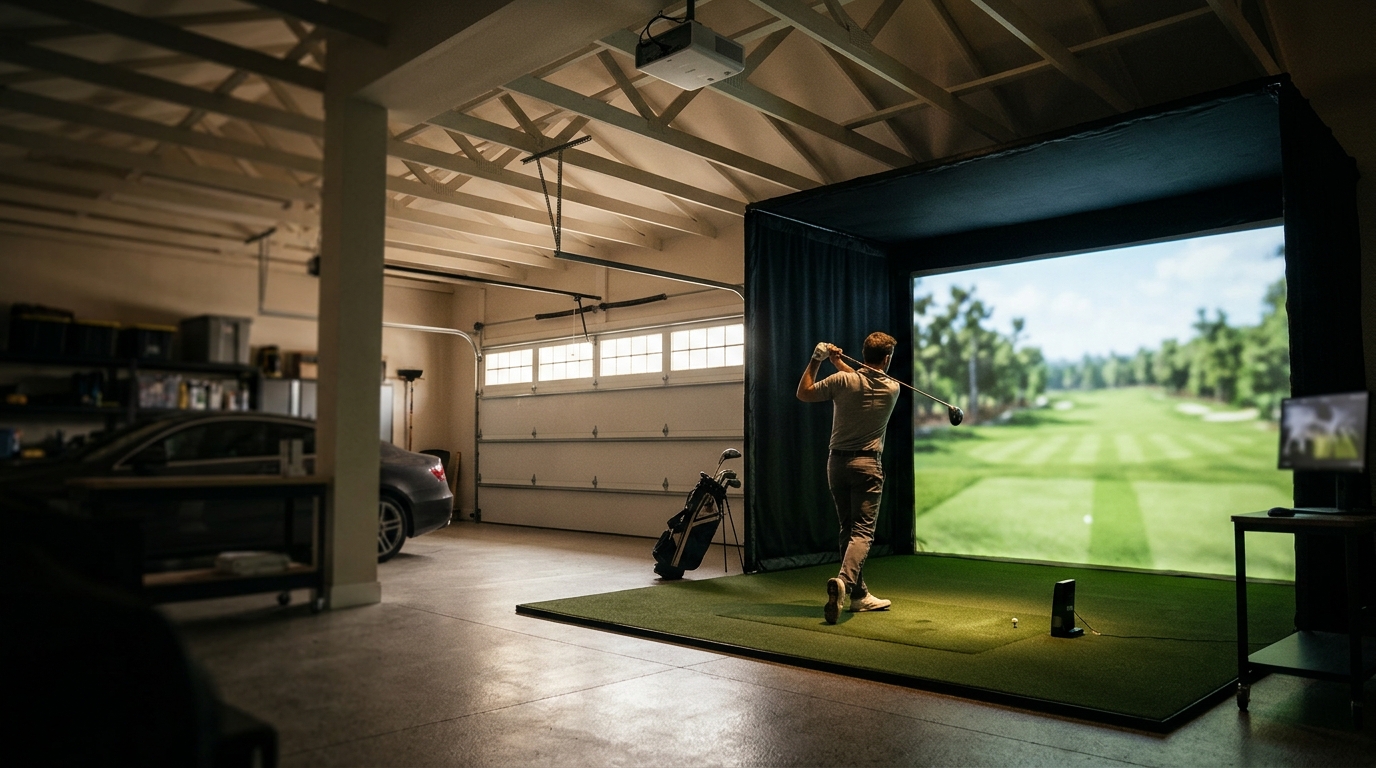
Choosing a golf simulator bundle for a garage or basement requires careful evaluation of room dimensions, ceiling height, and lighting conditions. You must verify that your launch monitor and projector are compatible with your specific space constraints. Turnkey Pro Studios provides expert guidance to ensure your setup fits your environment perfectly. This approach prevents costly installation errors and maximizes your practice potential.
Assessing Your Space and Ceiling Height
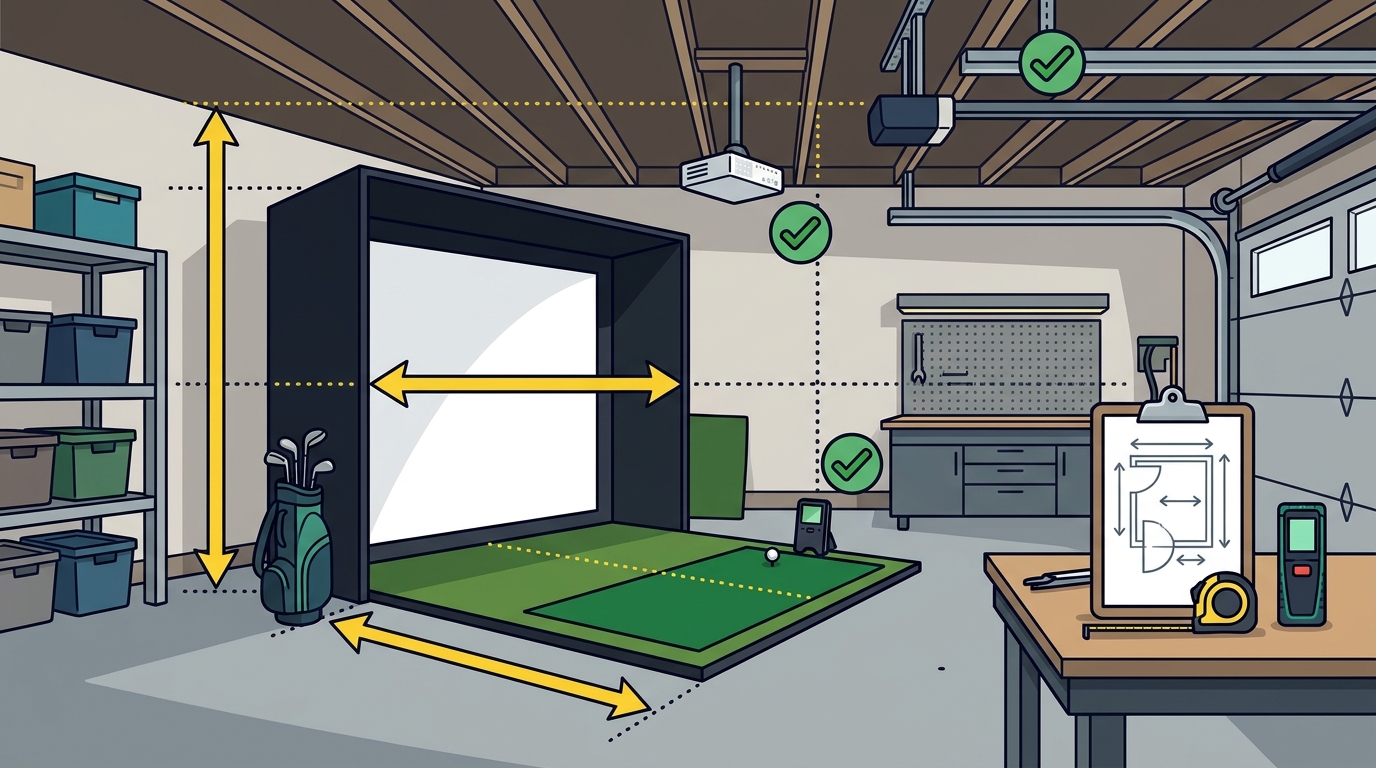
The physical dimensions of your garage or basement dictate the type of simulator you can install. A standard garage door is typically 7 to 8 feet high, which limits the options for overhead launch monitors. You need to measure the exact distance from the hitting mat to the screen. This measurement ensures your ball trajectory does not hit the ceiling or the back wall. If your ceiling is lower than 9 feet, a portable or retractable system is often the safer choice.
Turnkey Pro Studios offers various enclosure types to accommodate different room sizes. Their Build Your Own tool helps you visualize how different enclosures fit into your space. You can select from retractable enclosures for flexible use or built-in enclosures for a permanent installation. This flexibility is crucial for homeowners who want to use the garage for other purposes when not practicing.
Lighting and Projector Brightness Requirements
Garages and basements often have inconsistent lighting, which can degrade image quality. A projector with insufficient lumens will struggle to produce a clear image in a room with ambient light. You should consider a short-throw projector with high brightness to compensate for this. The projector must be positioned correctly to avoid shadows from your body or equipment. Proper alignment is essential for accurate tracking and a realistic visual experience.
Launch Monitor Accuracy and Compatibility
The launch monitor is the heart of your simulator, providing the data that drives your practice. Different monitors use different technologies, such as radar or high-speed cameras, to track the ball. You must choose a monitor that is compatible with your chosen enclosure and projector. Some monitors require specific mounting positions to function correctly. Incompatibility can lead to inaccurate data and a frustrating user experience.
Turnkey Pro Studios partners with trusted golf technology providers to ensure compatibility. Their launch monitor collection features pre-vetted systems that work seamlessly with their enclosures. This pre-validated approach eliminates the guesswork of mixing and matching components. You can trust that the data you receive is accurate and reliable for your training needs.
Sound Insulation and Safety Features
Garages and basements are often attached to living spaces, making noise a significant concern. The sound of a ball hitting a mat or screen can be disruptive to your household. You should consider adding sound insulation or choosing a setup that minimizes noise. Safety is also a critical factor, especially if you have children or pets in the home. A proper enclosure with safety padding prevents errant balls from causing damage or injury.
Turnkey Pro Studios designs their enclosures with safety and noise reduction in mind. Their About Us page highlights their commitment to precision and integrity in every build. They offer safety foam padding and flush-to-wall enclosures to contain the ball and reduce noise. This attention to detail ensures that your simulator is a safe and enjoyable addition to your home.
Software and Ecosystem Integration
Key Takeaways
- Measure your room dimensions and ceiling height before selecting a simulator type.
- Choose a projector with sufficient brightness for your specific lighting conditions.
- Ensure your launch monitor is compatible with your enclosure and projector.
- Select a software ecosystem that aligns with your training goals and preferences.
- Work with a trusted provider like Turnkey Pro Studios to ensure compatibility and quality.
Frequently Asked Questions
What is the minimum ceiling height for a golf simulator?
The minimum ceiling height depends on the type of launch monitor and enclosure you choose. For overhead monitors, you typically need at least 9 feet of clearance. For portable or retractable systems, 7 to 8 feet may be sufficient. Always verify the specific requirements of your chosen equipment before purchasing.
Can I use a golf simulator in a garage with a door?
Yes, you can use a golf simulator in a garage with a door. However, you need to ensure that the door can be closed and locked when the simulator is in use. This prevents errant balls from escaping and ensures safety. Retractable enclosures are ideal for this scenario, as they can be folded away when not in use.
How much does a golf simulator bundle cost?
Do I need a dedicated room for a golf simulator?
No, you do not need a dedicated room for a golf simulator. Many golfers install their simulators in garages, basements, or spare bedrooms. The key is to ensure that the space is large enough and that the setup is safe and secure. A dedicated room is not required, but it can provide a more immersive experience.
What is the best launch monitor for a garage?
The best launch monitor for a garage depends on your specific needs and budget. Overhead monitors offer high accuracy but require more ceiling height. Portable monitors are more flexible but may be less accurate. Turnkey Pro Studios can help you choose the right monitor for your space and goals.
Conclusion
Choosing the right golf simulator bundle for your garage or basement requires careful planning and attention to detail. By assessing your space, lighting, and safety needs, you can select a system that fits your environment and goals. Turnkey Pro Studios is committed to helping you build the perfect simulator with confidence. Visit our homepage to explore our range of products and services. Start your journey to pro-grade simulation today. Learn more: Our company.